
We Tested 7 AI Academic Poster Generators
We checked the seven AI academic poster generators ranking on Google's first page against what a conference poster actually requires. Only one states all four.
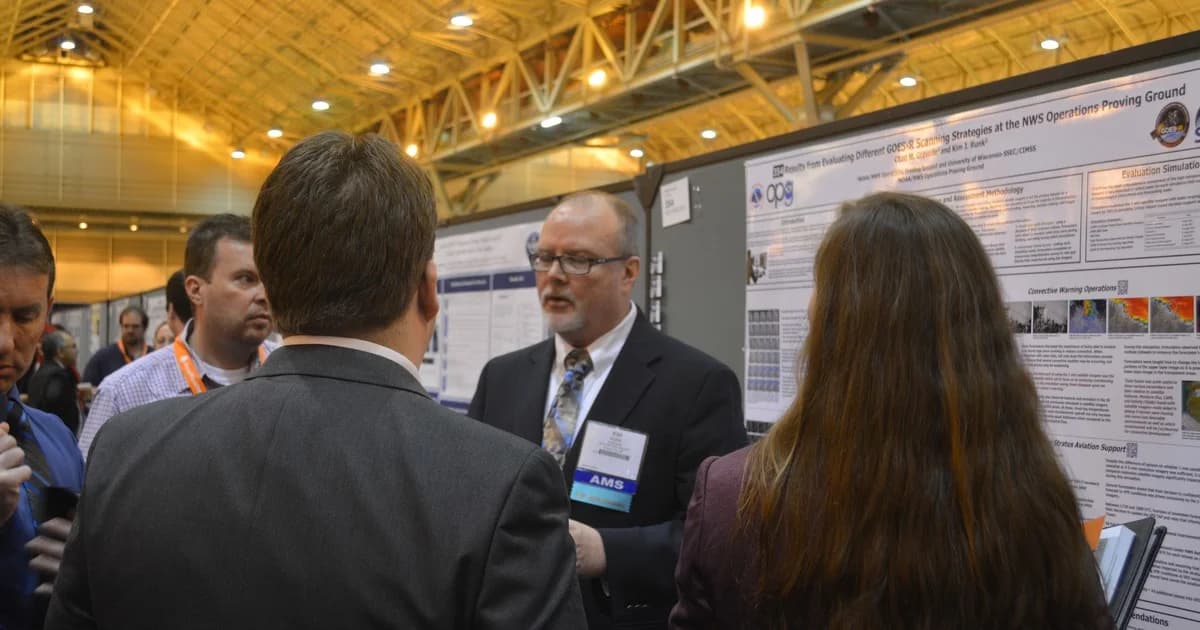
Every conference season, a few hundred thousand researchers face the same chore: compress a paper into a single sheet roughly the size of a door, get it printed, and stand beside it for two hours answering questions. It is the least intellectually interesting task in academic life and one of the most time-consuming, which is why the first page of Google now fills up with tools promising to do it automatically.
We checked whether they can actually produce something a conference print shop will accept.
For most of them, the answer is no.
What a conference poster actually requires
A research poster is a print job before it is a design job. Four things determine whether a file is usable:
- A defined conference size. Most organisers specify A0 (841 × 1189 mm), A1, or 36 × 48 inches. A poster generated at an arbitrary aspect ratio has to be rebuilt.
- A stated print resolution. Large-format printing at 300 DPI is the standard. An image that looks sharp on a laptop can arrive at the venue visibly soft when it is blown up to a metre wide.
- Your paper as an input. A poster is a compression of work you have already done. A tool that only accepts a text prompt is asking you to retype your own results.
- A way to try it without paying. Most poster deadlines arrive with less than a week's notice.
Method
On 31 August 2026 we visited the public product page of each tool ranking on the first page of Google (US) for the query "ai academic poster generator" and recorded only what the vendor states on that page. Seven tools qualified. We created no accounts and ran no generations; a capability was counted only where the vendor itself claims it in writing. This is deliberately a test of what these companies are willing to promise, which is a lower bar than whether the output is any good — and most of them do not clear it.
The results
Of the seven tools ranking on Google's first page for "AI academic poster generator", only one — Veeso AI — publicly states all four requirements: A0/A1 sizing, a 300 DPI export, the ability to upload your paper, and a free tier.
| Tool | A0/A1 sizing | Stated 300 DPI | Accepts your paper | Free tier | Met |
|---|---|---|---|---|---|
| Veeso AI | Yes — "A0, A1 & Custom" | Yes — "300 DPI export" | Yes — Word, Markdown | Yes | 4/4 |
| Mew Design | Yes — A0, A1, A3, 36 × 48 | No — explicitly disclaimed | Yes — PDF, DOCX, up to 3 docs | Yes, free credits | 3/4 |
| ChatSlide | Yes — A0, 36 × 48 | Not stated | Yes | Yes | 3/4 |
| ConceptViz | Partly — "A0-ready" | Not stated | No — text description only | Yes | 2/4 |
| RunComfy | Not stated | Not stated | No — prompt + 3 reference images | Yes — 5/day, no sign-in | 1/4 |
| Pixazo | Not stated | Not stated | No — describe the poster | Yes | 1/4 |
| Pixelcut | Not stated | Not stated | No | Yes | 1/4 |

Requirements met, out of four, as stated on each vendor's own public product page. Source and method: pages checked 31 August 2026; Google US first page for "ai academic poster generator".
Three of the seven are general image generators
The clearest finding is not about quality. It is that three of the seven results are not academic tools at all.
Pixelcut positions itself as a general AI image and design product for "content creators", "entrepreneurs" and "designers", with features like background removal and generative fill; it has an academic-poster landing page and nothing on that page addresses poster sizes, resolution, or source documents. It also now serves the URL that previously belonged to Pixa, which redirects there. Pixazo works by having the user "describe the poster — topic, mood, colour palette, typography and content hierarchy", which is the workflow of a poster illustration, not a research poster. RunComfy accepts "text prompts, or a combination of text and up to three reference images".
All three will produce a handsome rectangle. None of them will read your methods section.
The dividing line in this category is not design quality. It is whether the tool ever reads your paper — and a generator that only takes a text prompt is asking a researcher to retype their own results into a chat box, which is the part of the job that actually takes the afternoon.
The print-resolution gap is the real problem
Only Veeso AI puts a number on print output, describing a "high-resolution PDF sized for your conference requirements" and a 300 DPI export.
Mew Design is the most candid of the group, and it is worth quoting because it is the disclaimer every other vendor omits: the platform states it "does not guarantee conference acceptance, vector output, bleed, color matching, print resolution, or a printer-ready file". That is an honest description of what a general-purpose generative design tool can promise about a print job, and it should make anyone pause before sending the output straight to a print shop three days before a conference.
ConceptViz is similarly upfront about the workaround. It generates "a high-resolution image in the aspect ratio you pick" and then advises you to "import it into PowerPoint or a vector editor, add your content, and export a PDF at the exact print size" — which means the tool produces a background, and you still build the poster.
Notably, this gap includes the tools that otherwise score well. ChatSlide's own guide is specific about structure and file types — A0 (841 × 1189 mm) or 36 × 48 inches, exported as "PDF (safest for printing — locks fonts and layout) or editable PowerPoint (.pptx)" — but does not publish a DPI figure either. On print resolution, the category as a whole is quiet.
Where the academic tools do differentiate
Among the four tools that accept a document, the differences are in what happens to the content after ingestion.
Mew Design allows a file library of "PDF, DOCX, spreadsheet, notes, figures, tables, logos, or approved images" and lets you reference up to three documents in a single message, which suits a poster drawing on more than one paper. Veeso AI imports Word or Markdown files and generates "auto-formatted reference sections".
The tools that go furthest attempt the structure as well as the layout. An AI academic poster generator that produces the canonical academic blocks — a title banner with authors and affiliation, then Background/Introduction, Methods, Results and Conclusions — is solving a different problem from one that produces an attractive background, and ChatSlide's guide describes exactly that sequence, along with figures built from your own data using Chart.js and D3 rather than decorative stand-ins, plus reference pulls from PubMed, Google Scholar and ClinicalTrials.gov.
Whether any of this survives contact with a real dataset is a separate question, and one no vendor page can answer.
What to check before you commit
If you have a poster deadline, the vendor page tells you most of what you need:
- Does it name your conference's size? If the page does not mention A0, A1 or 36 × 48, assume you will be resizing by hand.
- Does it state a DPI, or does it disclaim print quality? Only one of these seven states 300 DPI. One explicitly disclaims print resolution. The rest say nothing, which is closer to the second than the first.
- Can you upload the paper? This is the single biggest time difference between the tools, and it splits the field cleanly in half.
- Does the free tier let you see real output? Several of these offer credits rather than a free generation, which is not the same thing when you are evaluating under deadline.
Print a small-format proof before committing to the large one. Every tool here will generate something in minutes; none of them will be standing next to it when a reviewer asks why the axis labels are illegible from a metre away.
Frequently asked questions
How do I turn my paper into a conference poster? The fastest path is a tool that ingests the paper itself rather than a description of it. Four of the seven tools reviewed here accept a document upload — Veeso AI, Mew Design and ChatSlide directly, with Mew Design supporting up to three documents in one request. The remaining three require you to describe the research in a prompt, which means transcribing your own results by hand.
What size should an academic poster be? Check the organiser's call for posters first, because it is binding and it varies. The common standards are A0 (841 × 1189 mm), A1, and 36 × 48 inches, and most tools that support academic work name at least one of them explicitly.
Can these tools use my real figures? Some claim to. Mew Design accepts figures and tables in its file library; ChatSlide's guide describes generating figures from your uploaded data rather than substituting generic visuals. The general image generators in this group do not offer this at all — they produce imagery, not plots of your results.
Are AI poster generators free for students? All seven offer some free entry point, but the shape differs. RunComfy is the most generous on paper, offering five free generations per day with no sign-in. Others provide starter credits that are consumed by revisions, which matters because a poster typically needs several passes.