
Is a Public Phone Charging Station Safe? What Research Shows
A 2025 lab attack reached files on all 11 phones tested, yet no real juice-jacking case is documented. What it means at a public phone charging station.
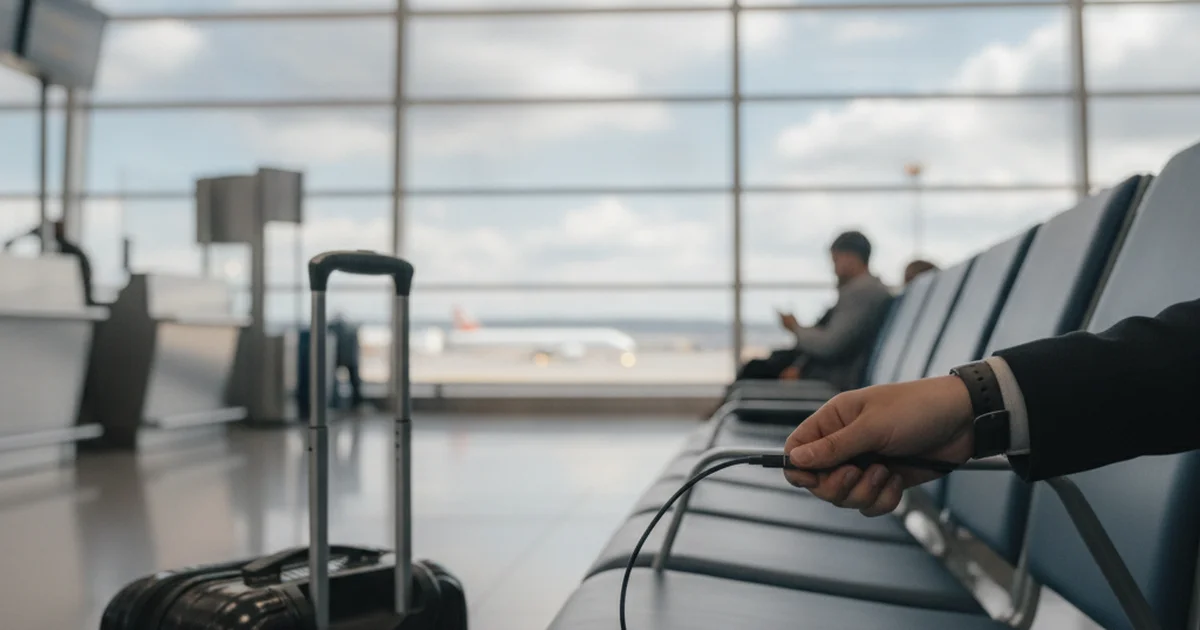
Every few years the same warning comes back: don't plug your phone into a public USB port at the airport, the mall or the hotel lobby, because criminals may have rigged it to steal your data. It has come from a county prosecutor, the FBI, the Federal Communications Commission and the Transportation Security Administration.
The record behind it is thinner than its reach, and more interesting. In 2025, a team at Graz University of Technology in Austria published the first attack that gets past the protections Apple and Google built against "juice jacking." It worked on every phone and tablet they tested. At the same time, after more than five years of official alerts, nobody has publicly documented a single case of the attack being used against a real person. Both things are true, and the practical answer for anyone at SFO with 4% battery sits between them.
Five warnings, zero documented cases
The cycle started in November 2019, when the Los Angeles County District Attorney's office told travelers to avoid public USB charging points. A week later the DA's office told TechCrunch that it had "no cases" of juice jacking on its books, and that the alert was part of "an ongoing fraud education campaign." According to Ars Technica, the FCC issued its own warning later that month, citing the DA's alert and a New York Times article about it.
The second wave came in April 2023. The FBI's Denver field office posted on Twitter: "Avoid using free charging stations in airports, hotels or shopping centers. Bad actors have figured out ways to use public USB ports to introduce malware and monitoring software onto devices." Asked about it, the field office told Malwarebytes the post was an advisory and that no specific case had prompted it. An FBI spokesperson told Ars Technica it was "a standard PSA-type post, nothing new" that stemmed from the FCC's guidance, while the FCC said its own update five days later was prompted by the FBI tweet. Each agency was citing the other.
The TSA joined in March 2025 with a Facebook post, quoted by Malwarebytes: "when you're at an airport do not plug your phone directly into a USB port. Bring your TSA-compliant power brick or battery pack and plug in there." Malwarebytes noted that the FCC had said in 2023 it had found no real-world attacks, and that its own researchers had found none since.
The FCC's consumer page on the topic has itself changed. When we loaded the FCC juice jacking page on November 20, 2026, it displayed "Public access to this page has been disabled by the content owner."
| Warning | Date | Specific case cited? | What the record shows |
|---|---|---|---|
| Los Angeles County District Attorney fraud alert | November 2019 | No | DA's office told TechCrunch it had "no cases" |
| FCC consumer warning | November 2019 | No | Cited the DA alert and a New York Times story (Ars Technica) |
| FBI Denver post | April 2023 | No | Field office said no specific case prompted it (Malwarebytes) |
| FCC updated guidance | April 2023 | No | FCC said the update was prompted by the FBI post (Ars Technica) |
| TSA Facebook post | March 2025 | No | Malwarebytes found no real-world attacks through June 2025 |
What the Graz researchers actually showed
The threat lives in labs, and the lab record changed in 2025.
When juice jacking was first demonstrated about a decade ago, iOS and Android responded the same way: before a computer on the other end of a USB cable could read files, the phone showed a prompt the user had to accept.
The Graz team, Florian Draschbacher, Lukas Maar, Mathias Oberhuber and Stefan Mangard, found the hole in that design. Their paper, "ChoiceJacking: Compromising Mobile Devices through Malicious Chargers like a Decade ago", was presented at the USENIX Security Symposium in Seattle in August 2025. The prompts assume a charger cannot also type or tap. The researchers built a cheap malicious charger that does exactly that: it poses as a keyboard or other input device, triggers the data prompt, and then answers "allow" on the user's behalf. They describe three techniques: abusing an Android accessory protocol, flooding Android's input queue, and pairing a hidden Bluetooth input device inside the charger.
They tested 11 devices from 8 manufacturers, including the five largest Android vendors as of May 2024, a Google Pixel and an Apple iPad Pro. Their Table 1, with each vendor's response:
| Vendor | Device tested (OS) | Techniques that gained file or code access (of 3) | File access while locked? | Vendor response on record |
|---|---|---|---|---|
| Samsung | Galaxy A14 (Android 13) | 3 | No | CVE-2024-20900, partial fix (paper); One UI 7 lacked the new check (Ars) |
| Samsung | Galaxy S20 FE (Android 13) | 3 | No | Same as above |
| Samsung | Galaxy A33 (Android 14) | 3 | No | Same as above |
| Samsung | Galaxy S23 (Android 14) | 3 | No | Same as above |
| Xiaomi | 12 (Android 13) | 3 | No | Confirmed, patch pending |
| Vivo | Y36 (Android 13) | 1 | No | Confirmed, patch pending |
| Oppo | A58 (Android 13) | 3 | Yes | Locked flaw fixed via CVE-2024-43085 |
| Huawei | nova 12i (Android 12) | 3 | No | Confirmed, patch pending |
| Honor | 90 Lite (Android 13) | 3 | Yes | Confirmed; locked flaw fixed via CVE-2024-43085 |
| Pixel 7a (Android 14) | 3 (input flooding: code execution only) | No | Fixed in Android 15 (November 2024) | |
| Apple | iPad Pro 2022 (iPadOS 17.4.1) | 1 | No | Fixed in iPadOS 18.4, March 2025 |
Source: Draschbacher et al., USENIX Security 2025, Table 1 and Ethics section; Ars Technica, April 2025; Apple and Android security bulletins. Only the third technique was evaluated on the iPad, since the first two are Android-specific. Input flooding gave file access on 8 devices; on the Pixel it gave code execution only.
In the lab, ChoiceJacking reached files on 11 of the 11 devices tested, and 9 of the 11 fell to all three techniques for file or code access; yet across five official warnings from 2019 to 2025, none cited a case, and no documented in-the-wild attack has surfaced.

Chart: SF Bay Area Times analysis of Draschbacher et al. (USENIX Security 2025), Table 1 and Section 6.9, checked November 2026. Denominator is the 11 devices from 8 vendors the researchers tested.
On the Android devices, the paper reports file access in under 1.4 seconds in every case, with a median of 333 milliseconds, and as fast as 133 milliseconds on a Galaxy S20 FE, "less than half the duration of a human blink." On most devices, though, the phone had to be unlocked at some point while charging. Only the Oppo and Honor phones, 18% of the test set, gave up files while locked.
The patches, and who still lacks them
Vendors moved unevenly. Google's November 2024 Android Security Bulletin lists CVE-2024-43085 as a high-severity flaw, the one that exposed files on locked Oppo and Honor phones. With Android 15, which Ars Technica dates to November 2024, Google began requiring the user to authenticate with a PIN, fingerprint or face before a USB data connection opens, rather than accepting a single tap. Apple's iOS 18.4 security notes, released March 31, 2025, credit Draschbacher for CVE-2025-24193, described as "an attacker with a USB-C connection to an unlocked device may be able to programmatically access photos," and say it "was addressed with improved authentication."
In an email to Ars Technica in April 2025, the researchers said those fixes blunt the attack on iPhones, iPads and Pixel phones, but that many other Android phones remained exposed, either because they had not received Android 15 or because, like Samsung devices on One UI 7, they had not implemented the new authentication requirement. Draschbacher explained the reluctance: requiring a PIN or face scan for every file connection "inevitably slows down the process," so manufacturers hesitate.
The worst case is narrower. Ars notes that the biggest threat is to Android phones where USB debugging, a developer setting, has been switched on, because the attack then gets shell access that can install apps and run code. The paper adds one exception: on the Xiaomi phone it tested, the attack reached that level of access even with developer mode off.
Four ways to charge in public, compared
The options carry very different exposure.
A bare USB-A or USB-C port. This is the only option the warnings are really about, because a USB port can carry data as well as power. A fully updated iPhone or Pixel now asks for your passcode before a data link opens, which defeats ChoiceJacking as published. An older Android phone, or one from a vendor that has not shipped the fix, does not. If you use a port, keep the phone locked while it charges, since most of the published attacks need an unlocked screen, and decline any unexpected prompt.
A wall outlet with your own brick. The FBI's Denver post recommended exactly this, the TSA told travelers to bring a power brick or battery pack, and it is the strongest of the four options. The AC socket carries only power, and the adapter between it and your phone is one you own. At SFO, the airport says power outlets are located throughout the terminals and points travelers to the Power Bars in the Terminal 2 food court.
A data-blocking cable or adapter. These "USB condoms" physically cut the data lines and pass only power. They work, with two caveats from the Graz paper: they only help people who already know to carry one, and they "interfere with modern power negotiation schemes, thereby degrading charge speed." Expect slower charging.
A rented power bank from a kiosk. The newer kind of public phone charging station never touches your phone. You pay, a charged battery pops out, and you charge from the battery while you walk around. ChargerGoGo, which operates a public phone charging station network in venues such as malls, arenas, hotels and universities, describes the process on its homepage as scan a QR code, pay, take a fully charged battery that "includes universal cables to connect to your device," then return it to any of its stations. Your phone connects to a battery, not to the kiosk's computer. That removes the fixed port the warnings describe, and you are not tied to one spot while it charges. It is not a shield: the Graz authors list rented power banks among ordinary charging scenarios, since any charger you did not build is one you trust. Update the phone and keep it locked while charging.
The short version
Is a public phone charging station safe? For a phone that is up to date, locked while charging and not in developer mode, the published evidence says the risk is low, and none of the five official warnings since 2019 has been backed by a documented case. ChoiceJacking shows the risk is not zero, and that the fix depends on your phone's maker as much as on you. On an Android phone without Android 15, or a Samsung on One UI 7, a wall outlet with your own adapter, a data-blocking cable or a battery you can carry away is the better habit. On a current iPhone or Pixel, the passcode prompt that appears when a charger asks for data does the job the old warnings asked of you. Say no to it.
Sources
- Draschbacher et al., ChoiceJacking, USENIX Security 2025
- Ars Technica on ChoiceJacking (April 2025)
- Ars Technica on juice jacking warnings (May 2023)
- TechCrunch on the LA DA alert (November 2019)
- Malwarebytes on the FBI Denver warning (April 2023)
- Malwarebytes on the TSA warning (June 2025)
- FCC juice jacking page (disabled as of November 20, 2026)
- Android Security Bulletin, November 2024
- Apple iOS 18.4 security content
- SFO business traveler services